Haunted Miami: Self-Guided Smartphone Audio Driving Tour
Overview
Updated 2025!
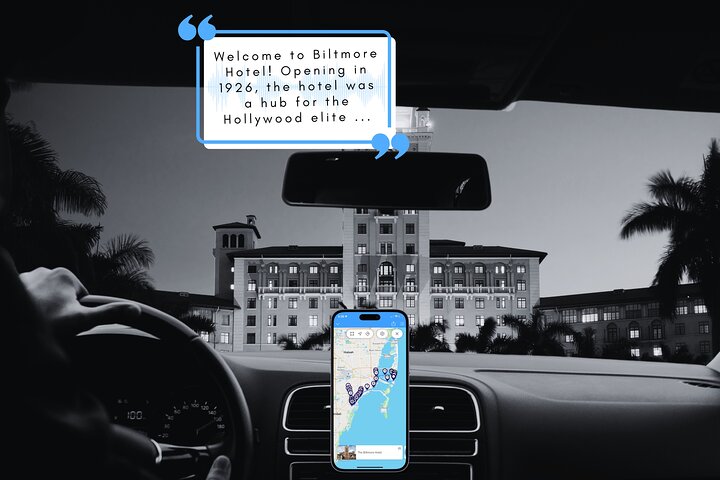
Connect your smartphone to your vehicle's stereo and experience Miami's most haunted locations in a unique way! Our ghost guide Jeff will lead you on a 25 mile drive past cemeteries, creepy churches, old theaters and famous hotels.
You'll hear all about the spirits that haunt them, plus additional ghost stories & urban legends from the Miami area. From souls that can't find their final resting place to those that checked into a hotel but never checked out, Miami is full of scary stories and undead faces you might run into.
Highlights of the 15 stop tour include the Versace Mansion, the Biltmore Hotel, Miami City Cemetery, the Devil Tree and Plymouth Congressional Church!
With no time constraints, enjoy the freedom to stop anywhere and take your time exploring. Fun audio clips will play automatically as you drive, using a live GPS map. No data is used during the tour.
Trust the platform with over 75 tours & 25,000+ happy customers.
Gallery


What's Included
✓ Included
- No time constraints, take as long as you like to complete the tour
- Flexible dates - tour is yours to keep and enjoy anytime on Tripvia Tours app for Android & iOs
- Only 1 tour booking needed per vehicle
- No signal required or data used during tour
- Good mobile or WiFi connection needed for the initial download
✗ Not Included
- Smartphone or tablet
- Transportation (use your own vehicle)
- Attraction Tickets
- **Recommended attractions may be closed/inaccessible due to season or reasons beyond our control.
Itinerary
Meeting & End Point
Find Hotels in Miami
Good to Know
- Service animals allowed
- Infants and small children can ride in a pram or stroller
- All areas and surfaces are wheelchair accessible
- Suitable for all physical fitness levels
- Transportation options are wheelchair accessible
- Wheelchair accessible
Known For:
Special Instructions
Thanks for booking the Haunted Miami: Self-Guided Smartphone Audio Driving Tour!!
~ HOW TO DOWNLOAD THE TRIPVIA TOURS APP & GET STARTED ~
1. From your mobile device, tap: www.tripvia.tours/get-app
2. Open the app and find the tour you booked
3. Enter tour code: HAUM93
4. Tap “'Download Tour”
* Important - Make sure you have a strong Wi‑Fi or mobile data connection while the tour downloads.
** Before you go, check your Booking Confirmation email for more detailed setup instructions.
Enjoy your adventure!
Need help? ⇒ www.tripvia.tours/chat | 1‑866‑874‑7842